By Maya Chen, lettering designer and type educator · Checked by Jordan Hale · · How we review content
Key facts
- A bubble text generator swaps each letter for a circled Unicode character: white bubbles (U+24B6–U+24E9), black bubbles (U+1F150–U+1F169) or parenthesized letters.
- Black bubble letters exist only as capitals in Unicode, so lowercase typing is converted to uppercase; white bubbles have both cases.
- Bubble numbers go well beyond letters: white circled ① to ⑳ and ⓪, circled 21–50 in the CJK block, and black circled ❶ to ⓴ with ⓿ for zero.
- The circled capital Ⓜ doubles as an emoji, so some phones draw it as a coloured icon while the rest of the word stays plain.
- On X, each bubble letter counts as two characters, and screen readers may spell the letters out one by one.
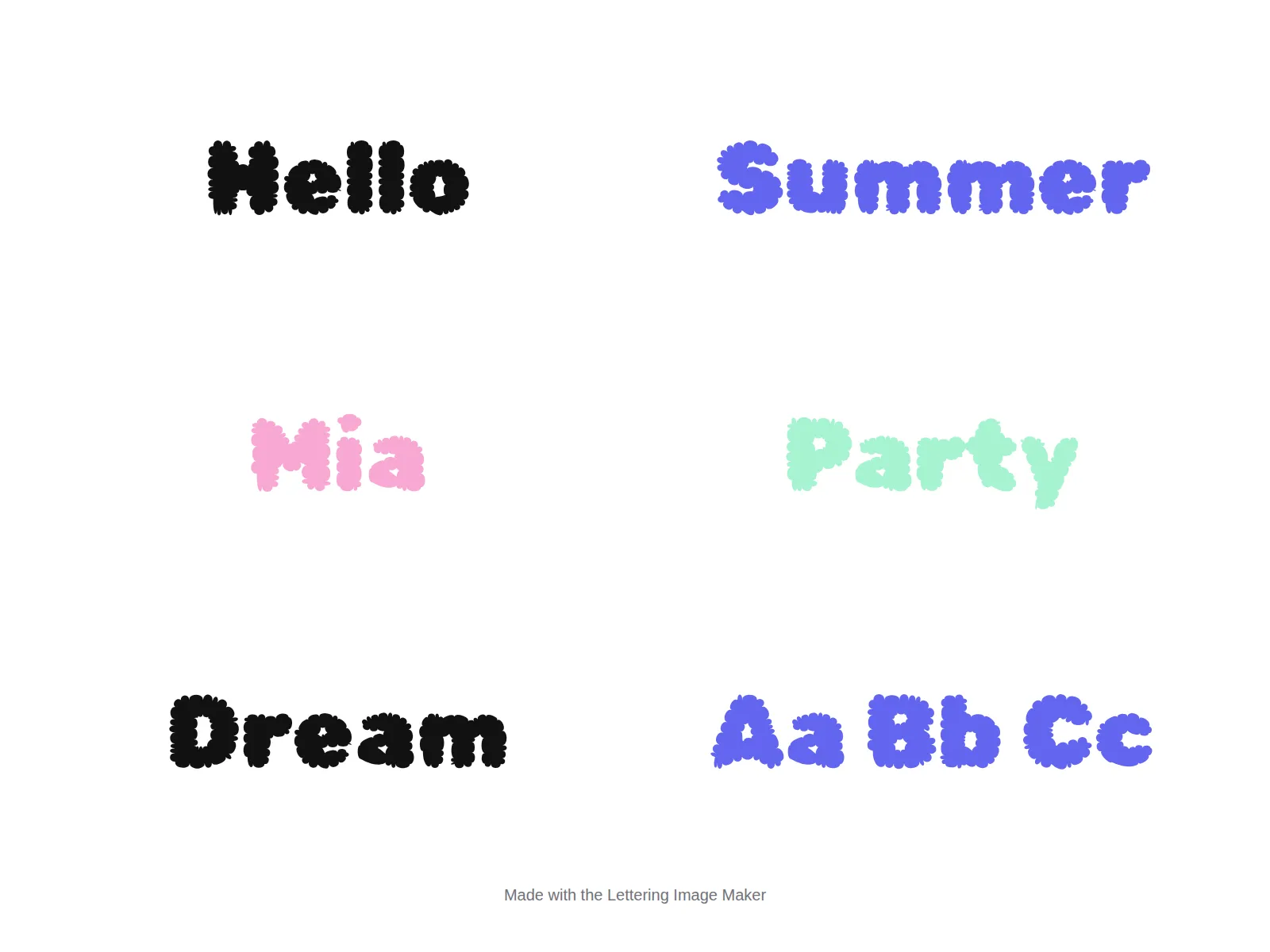
- Unicode has no puffy, outlined bubble alphabet; for drawn bubble letters, download a PNG from the Lettering Image Maker.
This bubble text generator turns your typing into circled Unicode letters such as Ⓛⓘⓛⓨ, which you copy and paste into a bio, display name, caption or chat. It offers white bubbles, black bubbles and parenthesized letters, converts digits too, and runs in your browser with no font to install.
How to use the bubble text generator
- Type your text in the box at the top. Every style updates as you type.
- Pick a style. Bubble Letters (white) is the most compatible, Black Bubble reads better small but is capitals only.
- Tap Copy on the row you like, then paste it into your bio, name field or chat.
Worked example: a bubble display name
Typing Lily gives Ⓛⓘⓛⓨ in Bubble Letters and 🅛🅘🅛🅨 in Black Bubble. Paste either into a Discord display name or an Instagram Name field, not the @username, which only accepts plain characters. Short names like this stay readable; long words lose their shape in circles.
Two different things called “bubble letters”
Before picking a style, it helps to know which kind of bubble letter you’re after, because only one of them can be copied and pasted.
| Unicode bubble letters | Drawn bubble letters | |
|---|---|---|
| What they look like | A letter inside a circle: Ⓑⓤⓑⓑⓛⓔ | Fat, rounded, outlined letters that look inflated |
| Can you paste them as text? | Yes, anywhere Unicode works | No. They’re drawings or a display font |
| Where people use them | Bios, display names, captions, chat | Posters, school projects, signs, coloring pages, graffiti |
| How to get them | The generator on this page | Draw them by hand, or use the Lettering Image Maker |
This page’s generator does the first kind. The second half of the page covers the second kind: how people draw them, and how to download them as an image.
The three bubble styles in Unicode
| Style | Example | Letters | Unicode block |
|---|---|---|---|
| Bubble Letters (white) | Ⓑⓤⓑⓑⓛⓔ Ⓣⓔⓐ | A–Z and a–z, digits 0–9 | Enclosed Alphanumerics (U+24B6–U+24E9) |
| Black Bubble | 🅑🅤🅑🅑🅛🅔 🅣🅔🅐 | Capitals only, digits 0–9 | Enclosed Alphanumeric Supplement (U+1F150–U+1F169) |
| Parenthesized | ⒝⒰⒝⒝⒧⒠ ⒯⒠⒜ | Lowercase only, digits 1–9 | Enclosed Alphanumerics (U+249C–U+24B5) |
White bubbles: the most compatible
The white circled letters date back to Unicode 1.1 (1993) and come from older East Asian character sets, which is why they display on practically every phone and computer. They have both cases, but the difference is subtle: capitals (Ⓑ) are drawn slightly larger than lowercase (ⓑ), and in a small bio font the two can look almost identical.
Black bubbles: bolder, capitals only
🅐 to 🅩 are white letters on a filled circle. They read better at small sizes than white bubbles, but Unicode only includes capitals, so the generator converts everything to uppercase. Black bubbles arrived much later than the white set, so older Android phones and some game clients may show boxes.
Parenthesized: a quieter alternative
⒜ ⒝ ⒞ put a lowercase letter in brackets. They’re narrow and look tidy in a list. Unicode also has parenthesized capitals (🄐 🄑 🄒, in the supplement block), but support for them is weaker, so the generator sticks with lowercase.
Bubble numbers
Numbers are where bubble text gets interesting, because Unicode includes far more circled numbers than letters, scattered across several blocks:
| Set | Characters | Notes |
|---|---|---|
| White circled 1–20 | ① ② ③ … ⑩ … ⑳ | U+2460–U+2473. Each number, even ⑳, is one character. |
| White circled zero | ⓪ | U+24EA. Added separately, away from the others. |
| White circled 21–50 | ㉑ … ㉟ ㊱ … ㊿ | In the Enclosed CJK block, so the style can differ from ①–⑳. |
| Black circled 1–10 | ❶ ❷ ❸ … ❿ | Dingbats block (U+2776–U+277F). |
| Black circled 11–20 | ⓫ ⓬ … ⓴ | Enclosed Alphanumerics. |
| Black circled zero | ⓿ | U+24FF. |
| Parenthesized 1–20 | ⑴ ⑵ … ⒇ | There’s no parenthesized zero. |
The generator converts each digit you type, so “Team 7” becomes Ⓣⓔⓐⓜ ⑦, and “2026” becomes ②⓪②⑥. If you want a single-character ⑫ instead of ①②, copy it from the table above. Circled numbers make neat step markers in a caption (❶ Prep ❷ Bake ❸ Share) and are compact in a display name.
Quirks to know before you paste
- Ⓜ can turn into an emoji. The circled M is also the “circled M” emoji used for metro signs. Some devices draw it in colour, so Ⓜⓞⓥⓘⓔ ⓝⓘⓖⓗⓣ may show one blue icon followed by plain bubbles.
- Long words are hard to read. Every letter has the same circular outline, which removes the word shapes your eyes rely on. Bubble text works best for one to three short words.
- Screen readers spell it out. Expect “circled Latin capital letter B, circled Latin small letter u…” or silence. Keep important information in plain text.
- X counts each bubble as two characters. The white and black sets both sit above X’s single-weight range.
- Search engines and apps may not match it. White circled letters fold back to plain letters under Unicode’s NFKC normalization; black bubbles don’t fold at all. Whether a platform’s search applies NFKC isn’t published, so treat bubble words as unsearchable. Paste them into the fancy text converter to get plain letters back.
Bubble text that reads well
Bubble letters suit short, friendly words. Some patterns that work:
| Use | Example | Why it works |
|---|---|---|
| A short name | Ⓛⓘⓛⓨ | Four letters is easy to read even in circles |
| A shout-out in capitals | 🅢🅠🅤🅐🅓 🅖🅞🅐🅛🅢 | Black bubbles stay legible at small sizes |
| A numbered list | ❶ Prep ❷ Bake ❸ Share | Circles for the numbers, plain text for the words |
| A label next to a plain name | Mia Ⓥⓘⓟ | The name stays searchable; the bubble is decoration |
Avoid bubbling whole sentences, links, prices and anything someone needs to type back. In a display name, pairing one bubble word with plain text, or with a symbol from the text decorator, usually looks more intentional than a fully circled name.
How people draw bubble letters by hand
Hand-drawn bubble letters are a lettering skill, not a font: pencil a skeleton, trace a rounded outline around it, keep the holes, then add a shadow and highlight. Our how to draw bubble letters guide walks through each step, and the bubble letters alphabet has printable A–Z sheets.
Download real bubble letters as an image
If you need bubble letters for a poster, a classroom display, a birthday sign, a sticker or a Cricut cut, the Lettering Image Maker has a Bubble style that renders your text in a genuine puffy bubble typeface. You can add an outline, choose colours or a transparent background, and download a PNG. The Chunky style is a fatter, rounder alternative. For printable outline letters to trace or colour, use the bubble letter generator.
For other soft, playful text you can paste, try cute fonts, which mixes bubbles with hearts and decorations, or the small text generator for tiny letters that sit nicely beside a bubble name.
That is what a bubble text generator is for: short, friendly text that pastes anywhere, while the image tool handles posters and printables.
Frequently asked questions
Basics
How do I copy and paste bubble letters?
What bubble text styles does this page make?
Can I get puffy bubble letters like the ones people draw?
Are there bubble numbers?
Where it works
Can I use bubble letters in an Instagram or Discord username?
Why does one bubble letter show up as an emoji?
Why do bubble letters show as boxes on some phones?
How it works
Why does the black bubble style turn everything into capitals?
How many characters does bubble text use on X?
Can I turn bubble text back into normal letters?
Tips & limits
How much bubble text is too much?
Can screen readers read bubble letters?
Which bubble style is best for a small bio?
Related generators & guides
- Lettering Image MakerThis lettering generator draws your words in 16 display fonts, from bubble and graffiti to Old English and neon. Pick colours and effects, then download a sharp PNG.
- Cute FontsThese cute fonts, also called pretty fonts, turn a name or word into bubble letters, tiny text or soft cursive. Pick a style, add hearts or bows, tap Copy and paste it into your bio or name.
- Small Text GeneratorThis small text generator turns your words into tiny Unicode letters: small caps, superscript or subscript. Type your text, tap Copy on the style you like and paste it into a bio, name or caption.
- Aesthetic FontsThese aesthetic fonts turn your text into styled Unicode letters that match a look, such as coquette, dark academia or minimal. Pick a style, add a frame, tap Copy and paste it into your bio or caption.
- Why Fancy Text Shows Boxes, Question Marks or Nothing at AllWhy do fancy fonts show boxes? The device showing the text has no font for that character, so it draws a placeholder; the text is not broken. Learn the symptoms, the riskiest styles, how app filtering differs, and how to test before posting.
- Cursive Text GeneratorThis cursive text generator turns your words into script-style Unicode letters for names, bios and captions. Type your text, tap Copy and paste it into Instagram, TikTok, Discord or a message.